How to Ship an iPhone App in 21 Days
In the before times, building a Serious App cost at least $100k USD and a few month’s worth of work.
You’d want to hire a product manager, designer, backend developer, and an iOS developer, and then plan for a bit of drama in between.
And even after all of that, there was still no guarantee that your idea would be any good once it was finished.
But we’ve had extremely capable code generating LLMs for a couple years, and trillions of dollars have gone into building more capable models to even better code generation.
So, how much has AI changed the app development cost structure?
To find out, let’s build a social app.
And to make it more interesting, let’s go from an idea to an App Store release in 21 days.
Start with at Least a Half Baked Idea
The plan is to build a social app where you actually do things with your friends.
Social media has been in the news for its negative social effects, and attempting to build something positive in the social space seems like a good idea.
But where to start? In my case, I took inspiration from a group chat.
I’ve got a group of friends, and we all meet up every Tuesday to go skateboarding together. usually film each other’s (imperfect!) skateboarding, make a video edit edit, and then all grab dinner together.
This has been a great routine for all of us, as we get the mix of social interaction, physical activity, and a creative outlet through the filming.
I wanted a way to recreate the fun we have together for people who don’t skate, or who don’t have a reasonable excuse to meetup or do things with their friends.
In particular, I wanted the app to give adults more creative, positive social outlets, as the social apps seem designed for isolation and addiction.
So what if there was a way to bring the experience of being stupid with your friends at the skatepark, to your phone?
With that extremely vague idea, I set out to see what an app experience might look like.
Using Claude Design to See the Idea
Generating code with AI can feel more like playing a slot machine than communicating with a strict super intelligent, all knowing machine.
Why is that?
Outside of the practical intelligence of the model, your prompts are usually vague, relative to a problem fully solved in code.
Letting the LLM fill in the blanks of what you want usually leaves a bit of room for unexpected results.
But one unexpected thing I’ve learned over the past few years is that a wrong answer is often more useful than you’d expect.
So for my first attempt at the app, I didn’t do any detailed designs. Instead, I wrote a rough outline of what I’d like the app to do, and passed it on to Claude Design to iterate on.
Claude Design is a product from Anthropic to allow Claude (their flagship LLM) to generate mock ups of apps and websites. When I prompted in Claude Design, it was my first ever time using the Design product.
So Claude Design thought and spun up a whole set of app screens that kind of fit my idea. The style of the app felt wrong, and I said as much. Claude came up with a new design, and eventually, it looked decent enough.
But this was just a rough set of screens, no actual software had been written. For that, I’d need to convert them into a base iOS app, via Claude Code.
Getting a Basic App with Claude Code
My first prompt in Claude Code actually came from Claude Design. It asked Claude to use the claude_design MCP to grab the actual design project we’d just built, and turn the screens into code.
I made sure to start this prompt with Claude Code in plan mode, so I could verify the overall architecture made sense and was relatively simple.
LLMs have a failure mode where they can over complicate a solution, or design something that’s nonsensical. Starting in plan mode (where the LLM just comes up with a plan instead of immediately acting) allows for catching and correcting errors before hundreds or thousands of lines of code in the wrong direction are written by the LLM.
Even more importantly, I just wanted to get a decent idea of the data structures and architecture for my iPhone app sooner rather than later.
Opus 5 eventually spit out a bare app with the design language that we settled on in Claude Design. It was now clickable, and it ran on my phone, but nothing was actually wired up to real effects.
At this point, I could have taken the time to run through the actual flow of the built app with placeholders, and decide on whether or not it matched my idea.
But building software is not just building a thing. It’s also iteratively discovering the problem itself, and how it should best be solved.
LLMs could give me a very quick iteration loop to a thing that runs on my phone, but how well did it match my idea? How vague and incomplete was my idea anyway?
I could have drawn up every screen on paper before doing the design work. I could have hade a much more detailed plan written before building anything.
This leads to the biggest question when building things with LLMs:
When should the human pay attention, and what is the highest value thing for the human to pay attention to?
Building the Backend API from a Set of Screens
Once the app design was running, I forked my initial design session, and had Claude generate a list of API endpoints, assuming I was going to use Python and FastAPI as my backend.
(FastAPI was chosen only because I’m most familiar with Python and its dependencies / deployment patterns, not because it was especially well suited to the task.)
Claude easily turned my set of endpoints into a reasonable looking set of routes and models.
It even added tests, so that it could verify that everyting actually worked. This is where the model shined, and made a reasonable set of models and routes for what we’d already done in the app’s architecture.
Building a Way to Administer the Site
Once I had the screens and the API, I ran the app again, and it became apparent that the group challenges would be make or break for the app.
Handling that part process well was critical, if the challenges were good the app seemed like it could accomplish my goal.
So I built out a minimal admin, to allow me to author the challenges for each of the groups.
It was here that the LLM first made an obviously stupid solution.
It decided to build a convoluted sync process, one that would require manual uploading of a set of challenges into a production database. It spun and spun trying to figure out how to do this well.
So I stopped the LLM, and we rearchitected this admin to be unexposed to the internet, and to connect directly to the production database for creating new challenges.
Given there was no user data touched, this seemed like a reasonable tradeoff.
But more importantly, it allowed me to move on from this requirement, and build the sign up, push notifications, and group joining process that still remained to try the whole app flow.
The “Easy” Way to Set Up Servers, with Dokku
Nowadays, there are platforms like Lovable and Replit for deploying your AI generated code. They promise to handle things like databases, library dependencies, and more that a skilled developer has learned over time and pain.
I don’t know how well these actually work in practice, and I didn’t have time to figure out, given the 21 day app launch goal.
So instead I used an existing Linux VPS I had on Digital Ocean.
(Choosing a way to deploy your code can really be a huge time sink, and there are honestly too many options to choose from for a small project. I chose a VM because it’s the most basic, and has the most flexibility.)
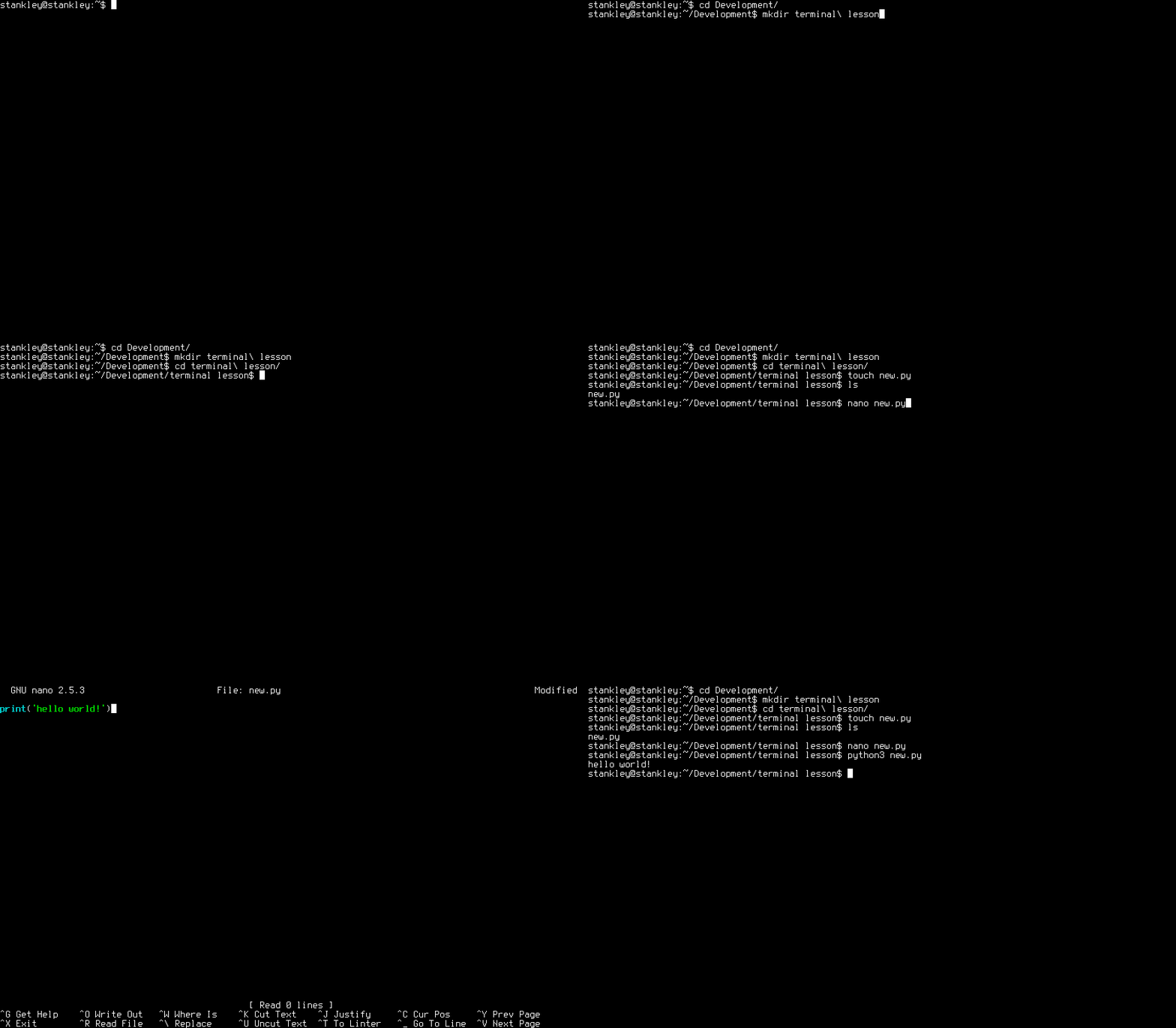
I prompted Claude to plan for converting our backend to run in a container on Dokku, deployed via a Digital Ocean droplet.
In this case, I made it so that a git push dokku main pushed to my server, rebuilt the container, and then deployed once the new container responded to a GET request.
This was my first opportunity to use dokku, and it worked really well! The commands to set it up on Digital Ocean were relatively straightfoward, and it used deployment technologies I was already familiar with, like containers and cron jobs.
Manually Adding the Pieces Claude Can’t Do Yet
From there, it was time to start adding the things I knew weren’t pure code, and which would require manual intervention on my end.
These were things like setting up domains, text messaging APIs, push notification certificates, and manual app store configuration that really isn’t appropriate for automation.
I settled on new users signing up via a prewritten text message, and invites doing the same.
Rather than paying to send the invites myself, the app composes an app invite directly for text:
I chose Twilio for the phone verification, and shortcodes for group signups and invites.
Next, I needed to sign and upload certificates to Apple for push notifications to work in the App.
There are software solutions to do push notifications, but I decided to just sign my own certificates for push notifications to Apple. It wasn’t too bad, but did require manually uploading a self signed certificate, and navigating Apple’s awkward set of screens.
Adding a Way to See What Your Users Are Doing
Once I got the whole app wired up with all of the pieces necessary to make it work, I needed a way to track what people were actually doing within the app.
Tracking your users is actually a place you can get into real trouble with, in the Apple ecosystem. There are plenty of third party libraries that will track and identify your users and their behaviors across systems.
Here I erred on the side of less robust tracking in favor of user privacy.
In my case I went for what was simplest, cheapest, and most near at hand, settling on Posthog.
With Posthog I can wire up an event that triggers on every screen or feature, and track whether or not people are opening the app, and if so what sort of features they’re using.
This is useful, as you want some kind of way to see what’s actually working with your users, and whether or not they’re using the app the way you’d expected, without actaully identifying them individually.
Once this was wired up, I was ready to start sharing the app with other people, critical for testing the end to end experience.
Sharing the App with TestFlight
Apple has a closed app ecosystem, and you can’t just push your app to the App Store.
Because of this, you need another way to share your app outside of the store with test users while before it’s released.
TestFlight is how Apple lets you distribute your unreleased app to beta testers.
Through TestFlight you can make builds and distribute them to people you’ve invited to be a part of testing.
My partner does marketing, and already had a TestFlight account. We set her up as an internal tester, and soon enough, we were able to test the actual app usage flow, from onboarding to collaborating on a video challenge.
And in testing it, gaps were immediately apparent in what had been built.
But crucially, we’d established the entire feedback loop for the first time, and could actually test the idea, as we finally had a fully working app, and a way to change, track, and improve it.
Building this feedback loop as soon as possible is the biggest win from AI coding progress.
AI is a Great Shitty First Draft Machine
There’s an endless debate about the capabilities and quality level of AI output. But my experience has been that AI gives you a “shitty first draft”.
And getting to that first iteration loop where we could test the App confirmed that. Parts didn’t make sense, but the code compiled and the parts that were there worked.
It was like someone imagined what an App would look like while dreaming.
Writers refer to shitty first drafts as a way to get something on the page first, so you can go back and fix it later.
The act of writing something terrible first lets you restrain your inner critic, and get something out the door that would otherwise be impossible.
Code isn’t as nearly as flexible as prose if you’re writing it by hand.
It usually has to complile (meaning it makes internal cohesive sense) to show you results.
AI lets you get to something that compiles, but is probably wrong, quicker.
As we’ve already said, having a wrong thing is more useful than I expected.
And this makes sense, as a programming language is generally a very precise set of instructions, and our prompts are generally very open ended. Of course there’s going to be a gap between what we mean and what gets made.
So the goal with building an App with AI is more around getting the whole experience loop in place, so you can rapidly iterate on the underlying idea.
Adding a Paid Upsell for a Hackathon
At this point I can confess the real reason for the 21 day limitation on building the app was that I was trying to meet the requirements for the Gemini XPrize.
One of the requirement challenges was to build a business that runs on AI Agents. There are different tracks, but I decided I’d try to help people learn more effectively as my path.
Obviously friend challenges weren’t enough to win the hackathon, so I decided a personal challenge gauntlet would be a great way to add a payment layer. Learn to play guitar in 30 days, learn to sing properly, etc. I’m personally a big fan of 30 day challenges as a way to improve things.
So the Agent consists of a questionaire, and an AI generated 30 day plan to get you started to accomplishing your goal.
It has generated images for each day, and customized coaching plan help to keep you on track.
I then also installed RevenueCat, to track conversions to the paid upsell, and A/B testing landing copy before a user buys a subscription.
(Attempting to) Release to the App Store
Releasing an App to the App store is a bit more challenging than just releasing a web app.
You need to have an LLC, you need to accept financial documents, and you need to attest that what you’ve built has low user risks.
You also need to comply with laws around user data and privacy.
All of that is stuff you mostly can’t prompt your way through with an LLM.
So I put together a set of marketing pages that go over things like Privacy Policies, Refunds, etc., all that sort of boring infrastructure, and put it online on a marketing site.
(These requirements are supposed to be a part of what makes the App Store an interesting platform to deploy to. People expect a certain level of quality, and are willing to otherwise give more trust to your new thing.)
Without Marketing Your App Isn’t Finished Yet
Speaking of marketing, how do you get people to discover and try your app?
Many developers make the mistake of assuming the code and associated art is the entirety of the App.
But in practice, the machinery for how people discover, use, and share your app is a critical part of the actual app itself. If you haven’t designed and tested these parts, you haven’t actually finished making the App!
But the problem with AI is that you can generate slop a whole lot faster than anyone can read or care about it. And nobody wants to pay for crap.
So when marketing an app you’ve got to be very careful to show actual value delivered and humanity. To me, it’s an even more tricky place to deliver value than via code.
How do you build a story and share it with people? And more importantly, how do you do it in the age of everyone being bombarded with crap?
Agents for Marketing
It’s an open question with marketing, just like it is with coding:
Can you do more with the LLMs now?
In the case of marketing, it seems the obvious thing is to do deep research and customization based upon each customer.
You can have an agent go and research all of the things a person is into, that are public and online. Kinda creepy, but probably effective. I don’t know if that’s really a good fit for what I’m working on.
But maybe we can get ideas for what motivates the people who are into the ideas in our app, building a profile for how to solve problems for them, and reinforce who they are.
So maybe that’s a reasonable place start to use this to build up a marketing machine.
Now We Wait
It took 7 days from pushing my app to Apple for them to review it.
And when they did, it turned out I hadn’t properly attached a subscription and it’s items to the review process. (A thing that happens manually.)
So when I finally got a review, I got rejected because of this.
I redid my submission, and got approved for release into the App Store two days later.
…And, What Have We Learned?
The LLMs can give you a first, wrong thing.
Because we enter into a dialog with it at so many different levels of abstraction (architectural, specific features, raw code, etc.), it’s obvious that the LLM doesn’t have any strong opinions about what your app should look like, beyond the safety guardrails built into the LLM’s prompt, and whether or not the code compiles.
It’s up to you to use the app, and to figure out where the gaps in cohesiveness are, and how to address them.
The LLMs can now generate code that runs, but they can’t build a cohesive, opinonated experience for your users.
That’s always been the hard work, and that’s still up to you.
PS You can try building an app in 30 days with the challenge I wrote in the app here: